Summer 2023 · UX Internship

Designing for
Industrial Displays
& Digital Devices

9 weeks at Enovation Controls: a Helios Company: conducting usability research, heuristic analysis, and UX recommendations for hot tub, marine, and off-road vehicle displays.
Role
UI/UX Design Intern
Duration
9 Weeks
Location
Oklahoma, In-person
Tools
Figma · Miro · Adobe XD
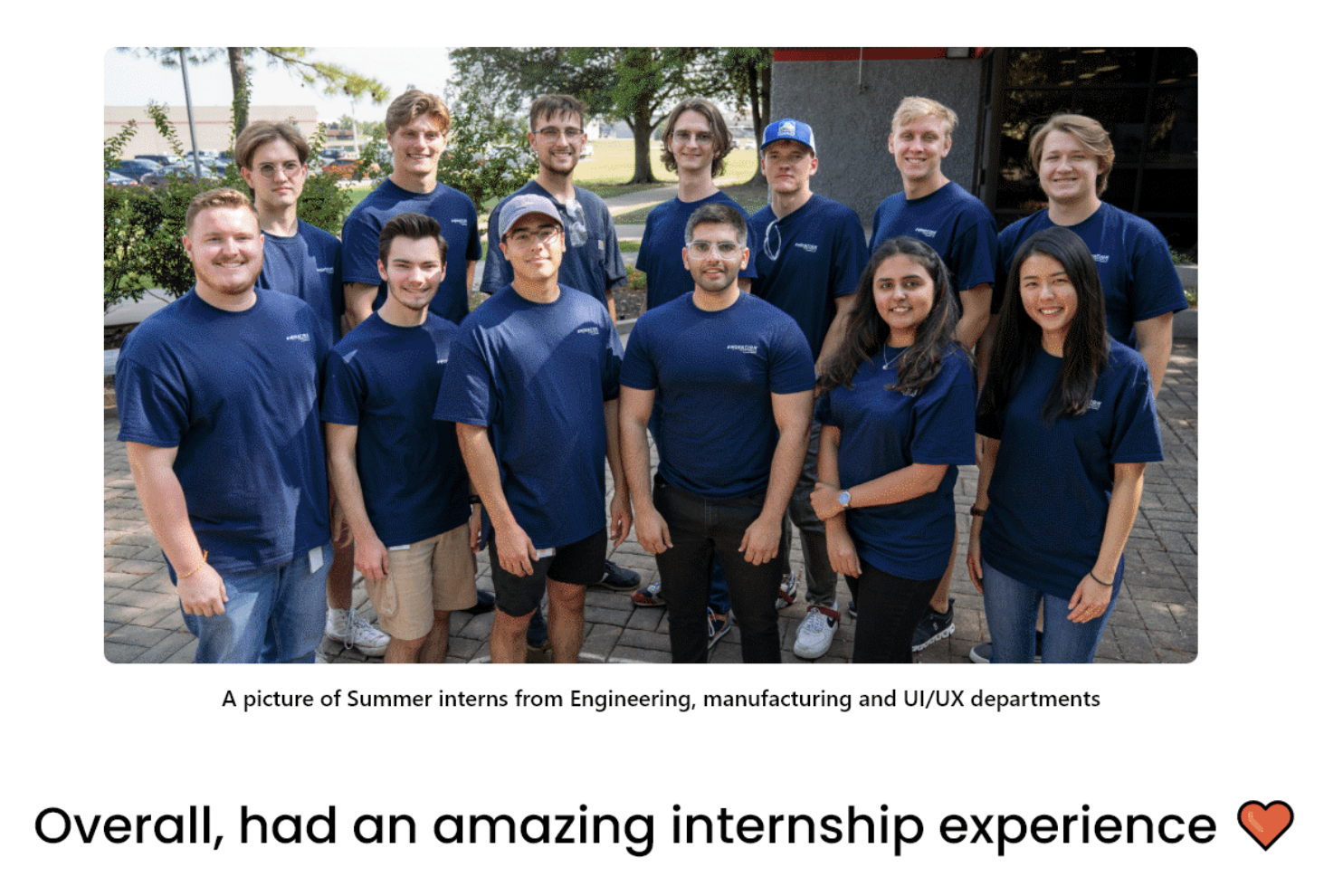
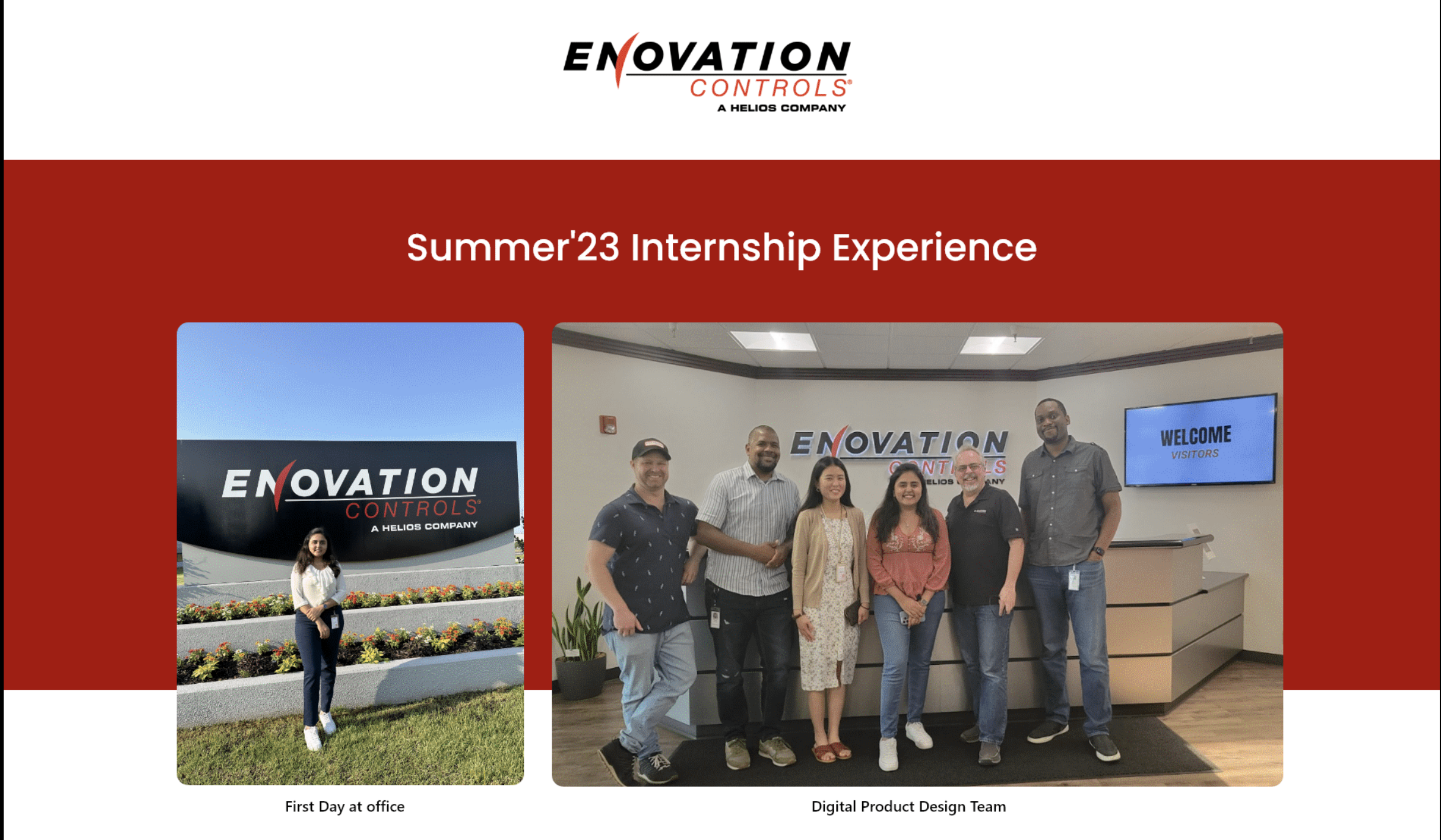
Enovation Controls Office & Team
About the Company

About Enovation Controls

Enovation Controls is a leading innovator in the field of electronic controls and displays. They specialize in providing customized solutions for engines, engine-driven equipment, and specialty vehicles.

With a reputation for cutting-edge technology and problem-solving expertise, Enovation Controls serves niche markets by delivering integrated solutions that go beyond convention. They prioritize core values, empower their employees, and aim to make a positive impact on their customers' success.

Electronic Controls
Digital Displays
Specialty Vehicles
Enovation Controls Logo
Scope of Work

Worked on 6 Core Client Projects

Across 9 weeks, I contributed to six distinct client projects spanning hot tubs, speedboats, off-road vehicles, simulators, and marine apps.

1
Balboa Spa Touch 3 & 4

Conduct user testing for SpaTouch 3 and 4 to find out issues and provide suggestions for future products.

Key Responsibilities
  • Conduct user interviews and understand user requirements
  • Perform qualitative analysis on the data gathered
  • Provide UX suggestions to improve the interface look & usability
  • Prepare documentation and presentation on the results gathered
2
Supra Trifecta MY22

Design usability issues of the interfaces and provide suggestions for the Supra MY24 speedboat display.

Key Responsibilities
  • Performance analysis to find out other speed boat features
  • Draw Information Architecture and User Persona
  • Design interactive and user-friendly user flows
3
Storyteller & GXV

Redesign high-fidelity mockups based on client feedback received.

Key Responsibilities
  • Check the feedback/comments received by client
  • Redesign the screens to address the feedback received
  • Export design components to the development team
4
Haku Off Road Vehicle

Design Search Trail and Trim track features and improve the UX of the current system.

Key Responsibilities
  • Wireframe the Search Trail and Trim track feature screens
  • Perform competitive analysis to identify essential features
  • Provide UX suggestions to improve the system design
  • Create interactions to show the user journey of both features
5
Caribou Simulator

Design a simulator testing system used by Enovation's internal development team.

Key Responsibilities
  • Wireframe the simulator screens with multiple iterations
  • Designed different interactive button states with color variations
  • Designed tell-tale icons for different signals
  • Exported design components to the development team
6
Marine App

Conceptualize and wireframe a waves app that integrates with boats in real-time.

Key Responsibilities
  • Conduct research and competitive analysis on the marine apps
  • Sketch the screens and work on the user flow
  • Wireframe the finalized screens along with interactions
  • Discuss the boat device interface that aligns with the marine app design
Deep Dive: Project 1

Balboa Spa Touch 3 & 4
(Hot Tub Display)

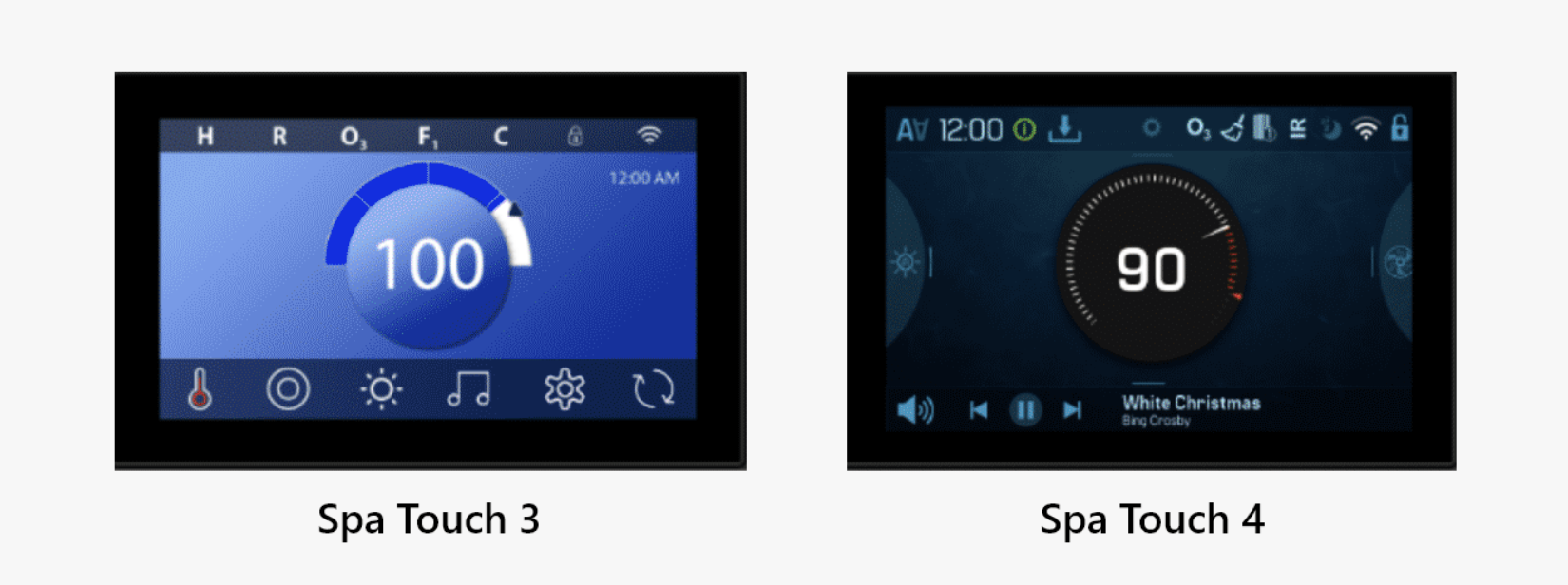
Balboa Spa Touch is a top-quality hot tub control panel with reliable Piezo electronic switch technology and moisture protection, making it a durable and dependable choice for the spa.

My Responsibility: Identify usability issues in Spa Touch 3 and Spa Touch 4 displays, and offer user experience recommendations to enhance the usability of the Spa Touch 4 Display (to be released to market).

Spa Touch 3 and Spa Touch 4
Results

Valuable Impact

The project's objective was to identify usability issues and offer recommendations for enhancing the upcoming product's functionality. I focused on refining the product's user-friendliness and efficiency.

80%
Boost in user-centric impact through research-driven design recommendations
40%
Overall product improvement across interface, interactions, and icon clarity
95%
Increase in efficiency by streamlining navigation and reducing cognitive load
Context

Why was this user study important?

1
Lack of User Experience Designer in the team
The team lacked a dedicated User Experience Designer, which means that they never approached product design with a strong focus on user-centered principles.
2
No Usability Testing History
The team did not conduct usability tests on our products' displays before launch, potentially leading to usability issues that went unnoticed.
3
ST3 Usability Problems
The launch of ST3 in the market was marred by significant usability issues, as reported by clients who provided feedback.
4
ST4 Design Improvement
While improvements have been made to the User Interface (UI) of ST4, the team hasn't yet identified and addressed any potential usability issues.
5
Client Expectation for ST4
The client has expressed a strong desire for ST4 to set a new standard in user-friendliness, encompassing both User Interface (UI) and User Experience (UX) aspects.
Methodology

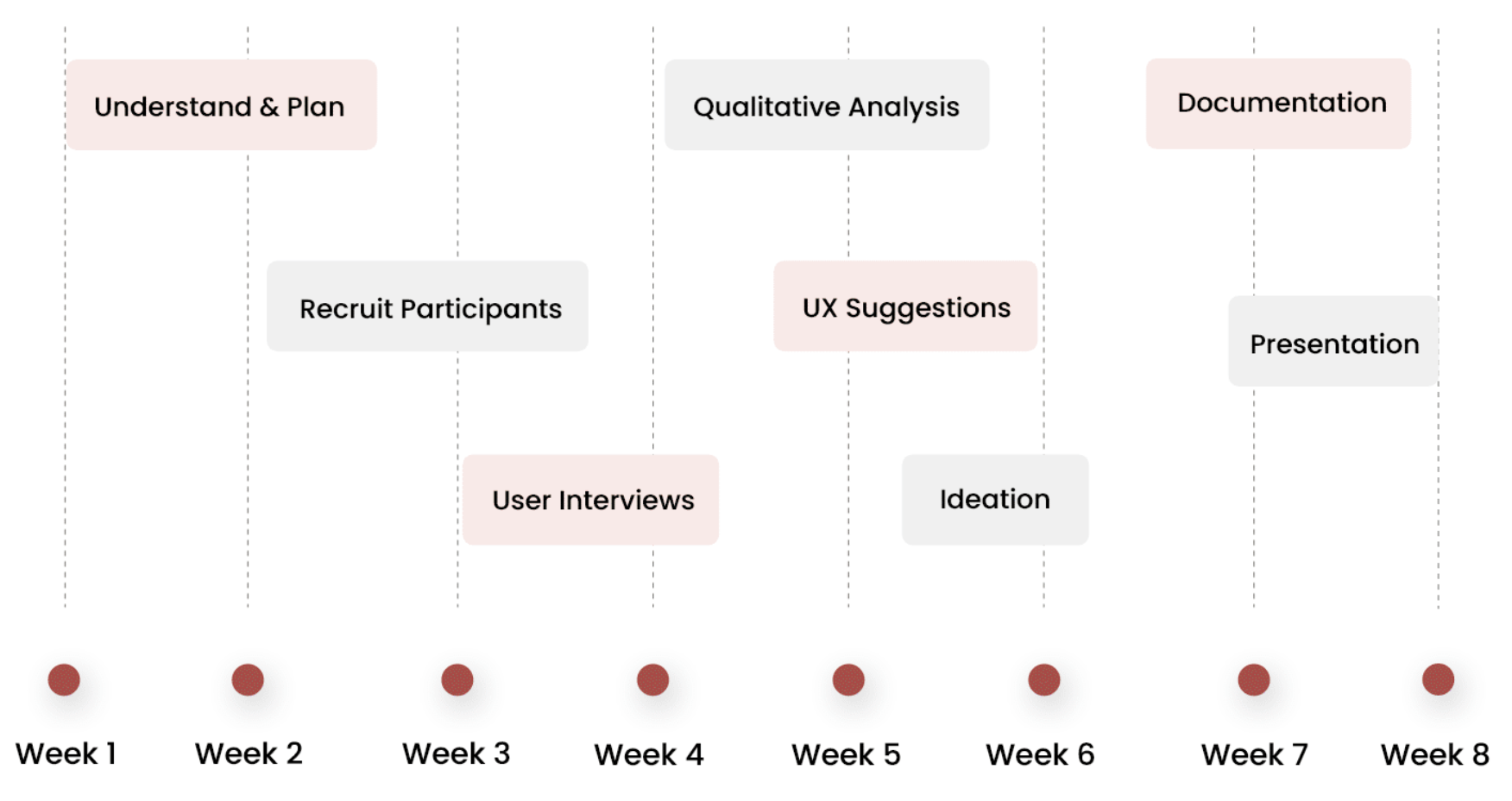
UX Process Timeline

An 8-week structured process from understanding the problem to presenting actionable UX recommendations.

UX Process Timeline
WEEK 1–2
Understand & Plan
WEEK 3–4
Recruit & Interview
WEEK 5–6
Analysis & Ideation
WEEK 7–8
Documentation & Presentation
Discovery

Identified Primary Issues
(Prior to Interviews)

Before conducting user interviews to gather insights into ST3 and ST4, my initial step involved identifying the user interface and user experience issues within these products. This preliminary assessment allowed me to become well acquainted with the existing problems and features, enabling me to engage with users more effectively during the interview process.

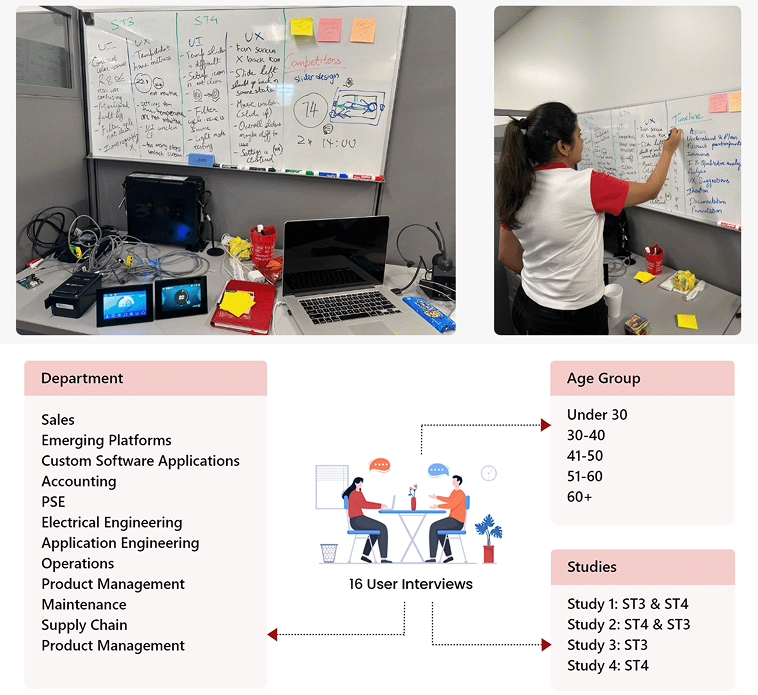
Conducted User Interviews

Conducted 16 user interviews across departments and age groups within Enovation Controls. To ensure integrity and minimize potential bias, interviews were segmented into different study sequences.

Affinity mapping and research
Think Aloud

Task Based
Think Aloud Analysis

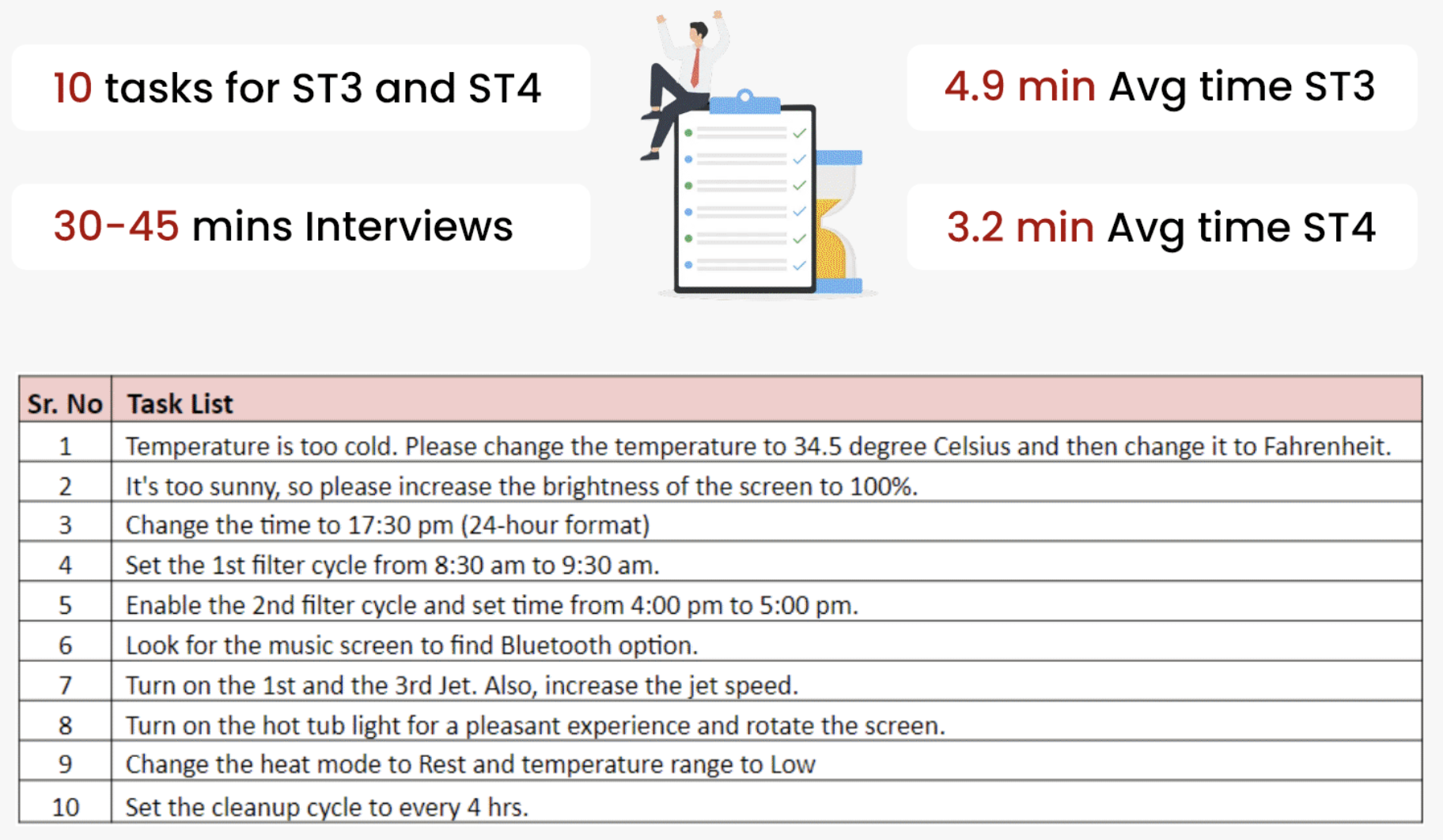
I conducted interviews lasting approximately 30 to 45 minutes, during which I divided the studies into various tasks. I asked participants to complete these tasks while recording the time it took them to do so.

10
Tasks for ST3 and ST4
16
User Interviews
4.9min
Avg time per task: ST3
3.2min
Avg time per task: ST4
Task list and interview breakdown
Analysis

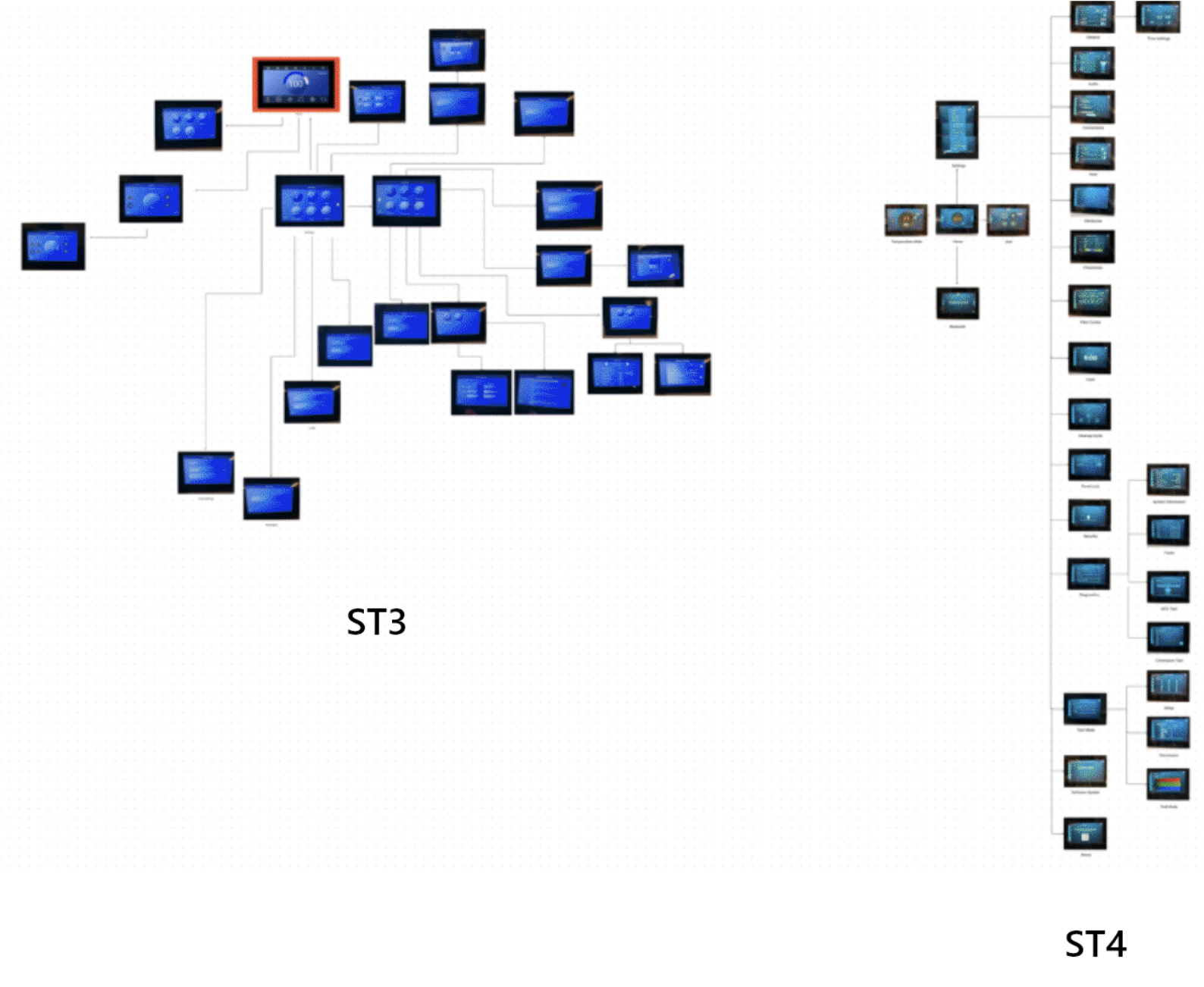
Prepared Interaction Maps

I've created interaction maps for both ST3 and ST4. Upon analysis, I've observed that the interaction flow in ST3 appears to be more complex, with multiple interactions requiring more than two clicks. In contrast, ST4 exhibits a more streamlined and organized interface, characterized by interactions that typically involve just two clicks.

ST3 and ST4 Interaction Maps
Research Synthesis

Analysed Qualitative Data

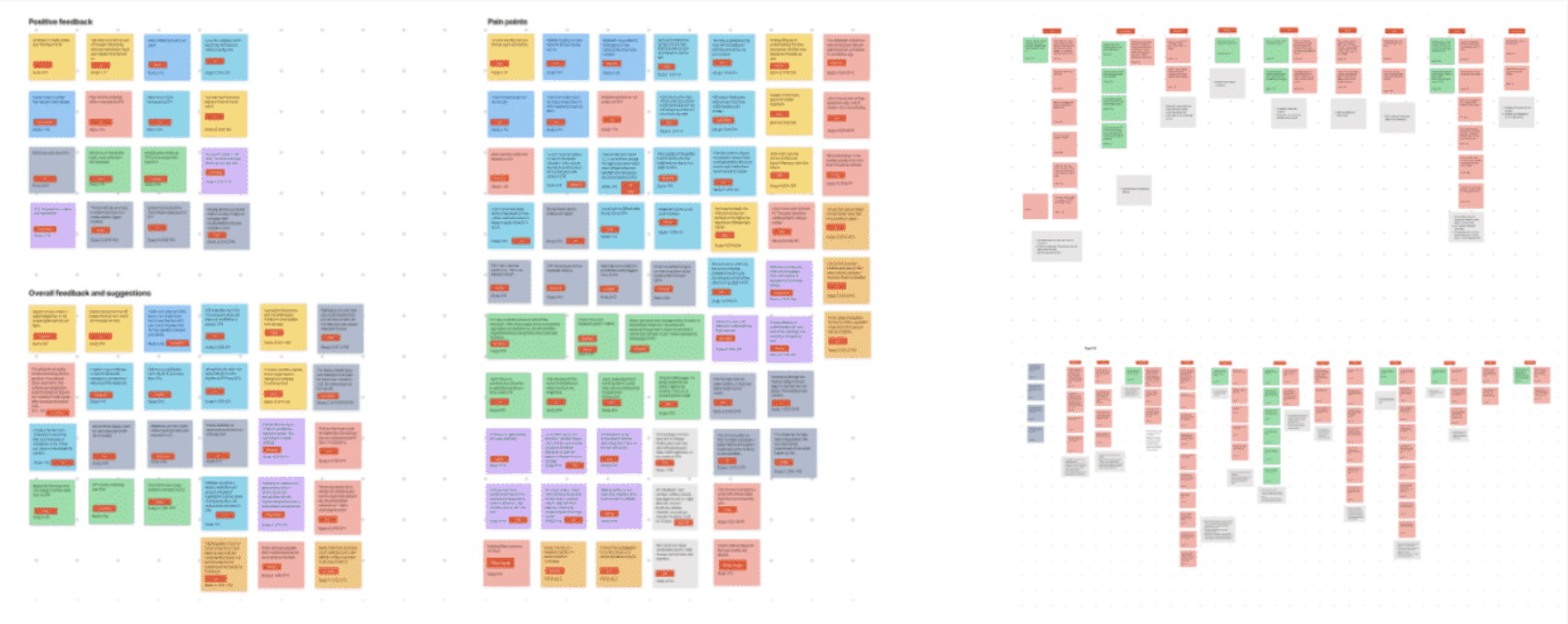
Following the completion of all interviews and gathering user feedback on ST3 and ST4, I meticulously documented the positive aspects, identified pain points, and collected suggestions from participants.

I then organized these suggestions into distinct feature sets, color-coded them for clarity, and conducted a comprehensive analysis of the identified issues.

Qualitative data affinity map
User Voice

User Feedback Highlights

After conducting all interviews, I jotted down all the positive and negative points received from each participant: capturing both what worked and what needed improvement.

"I am confused between the different names and settings of the lights. No idea about different light names."

Study 4 · ST4 · P8

"I love the command and fluidity of ST4 and the Air Features is really cool."

Study 2 · ST4 · P8

"The filter cycle time and change time scrolls doesn't start from the current set time, it's unreliable, they always start from 0:00."

Study 5 · ST4 · P4

"The jet speed design is intuitive. I like the icon wider spreading illustration."

Study 21 · ST4 · P19

"I'm using the system for the first time, I wouldn't know what the icons on the top indicate."

Study 41 · ST4 · P25
Usability Benchmarking

System Usability
Score (SUS)

After each interview, I provided the System Usability Scale form to all users and asked them to provide feedback by giving the scores for all 10 questions for both ST3 and ST4.

After calculating the average score both ST3 and ST4 lie in the Marginal range: providing a clear baseline for improvement recommendations.

ST3 Score
56.23
Avg ST3 Score: Marginal
ST4 Score
68.54
Avg ST4 Score: Marginal
UX Recommendations

Performed Heuristic Analysis

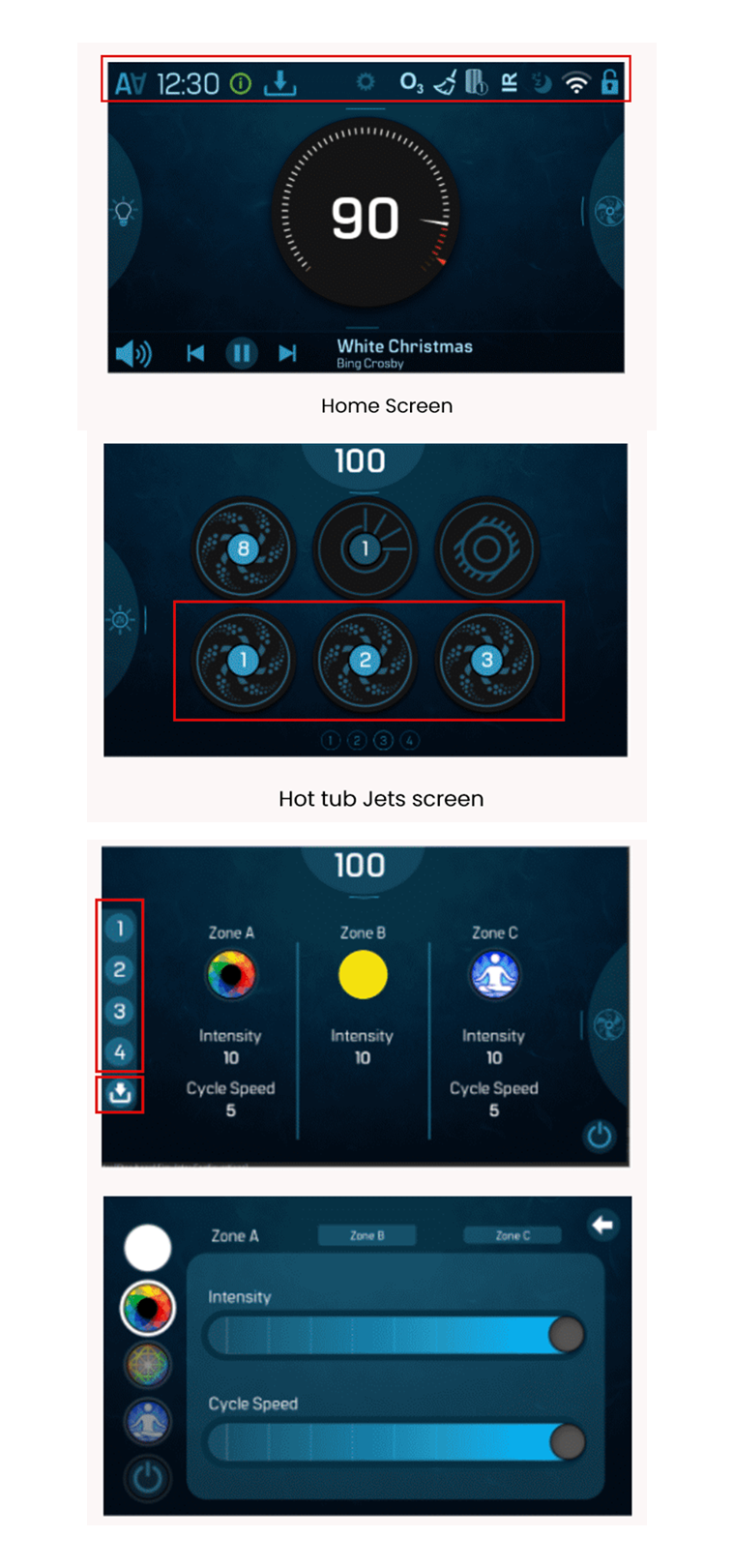
After analyzing the issues and in order to increase the efficiency and score of upcoming ST4 launch, I performed a heuristic analysis on the gathered information. It was essential to gain an in-depth understanding of the issues that users encountered while interacting with the systems so I can help pinpoint areas in which improvements are needed.

Heuristic Violated
Visibility of system status: Indicators should have a pressed state tooltip that indicates the names of the icons as in ST3.
Proposed UX Suggestion
Users should be able to identify the indicators' functionality easily without much cognitive load.
Heuristic Violated
Consistency and standards: It is consistent to achieve the same design and functionality throughout a product.
Proposed UX Suggestion
All the jets should have two speed modes: low and high, and show status "Jet 1 Low speed" so users can easily understand.
Heuristic Violated
Recognition rather than recall: Users should be able to understand the functionalities and features without clicking on a specific button.
Proposed UX Suggestion
The numbers should be unfilled/white and when a customization is applied the number should be filled and the save icon should appear right beside it.
Heuristic Analysis Screens
Reflection

My Internship
Learnings

1
Designing Beyond Conventional Mobile & Web Interfaces
During my internship, I gained valuable insights into pushing the boundaries of design by exploring digital and non-traditional approaches for mobile and web interfaces.
2
Enhancing Interview and Qualitative Analysis Proficiency
I honed my interviewing and qualitative analysis skills during my internship, enabling me to better understand user preferences and behaviors to inform design decisions.
3
Navigating Stringent Deadlines and Delivering Under Pressure
I honed my ability to effectively manage and execute tasks within demanding timeframes, ensuring timely project deliveries even under stringent deadlines.
Enovation team photo

Overall, had an amazing internship experience 🧡

Interested in my work? Let's connect and talk about design.

Get in Touch All Projects LinkedIn